

Forum Event App
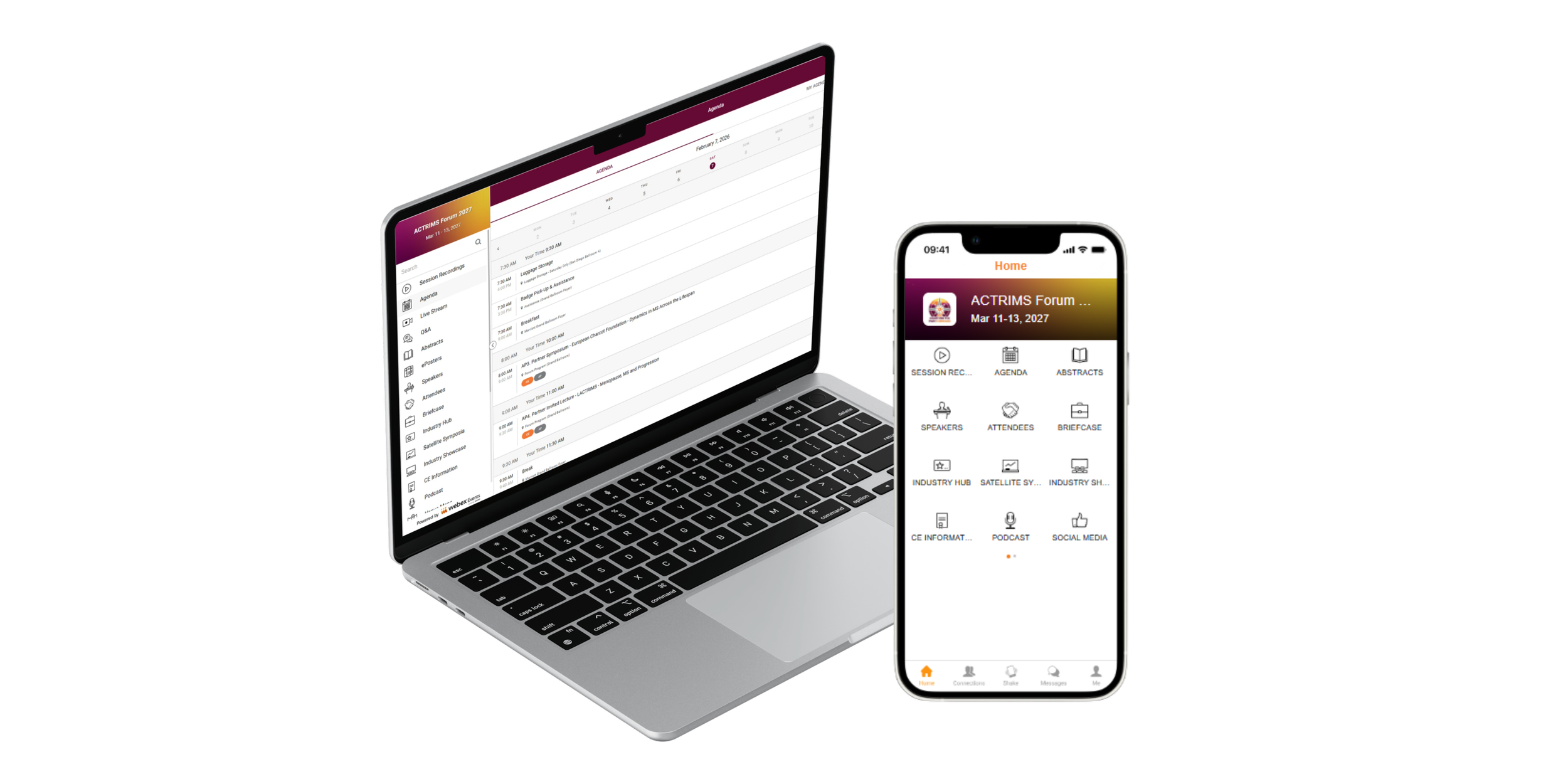
All in-person and virtual pass registrants will have access to the ACTRIMS Forum 2027 Event App. It will be your main resource for meeting information, including the full agenda, abstracts, ePosters, speakers, and more.
If you are unable to attend the Forum 2027 in Phoenix, ACTRIMS will live stream and record all educational sessions, including Industry Supported Satellite Symposia. Virtual Pass Only registrants will have access to the live stream and ePosters through the Event App. Recorded sessions will be available on demand following the conclusion of the live event.
When and how will I be able to access the ACTRIMS Forum 2027 Event App?
Forum registrants will be able to download and access the Event App two weeks prior to the event start. You can download the mobile version and/or access the web app from your computer.
What time zone is the program schedule listed in?
All times are listed in Mountain Standard Time (MST) USA.
How do I view the live stream?
Navigate to the Live Stream button located in the first row of the mobile app or in the left-hand menu in the web app. View the program schedule to see when to join the live stream of scheduled sessions.
Are closed captions and/or translations available for the live stream?
Yes, when attendees join the live stream, there will be a “CC” icon in the lower right corner where you can select from over thirty languages. Captions then appear below the live stream.
Can I submit a question to a presenter during the live stream?
Yes! Navigate to the Q&A button located in the first row of the mobile app or in the left-hand menu in the web app to submit your questions to presenters. Session chairs will try to address as many questions as possible.
I cannot attend a live session at the time it’s scheduled. Will it be available to view on demand?
All educational sessions will be recorded and available in the Event App following the conclusion of the live event. An announcement will be sent out to registrants when recorded sessions are ready to view.
How do I view poster presentations?
All poster presentations (ePosters) will be available beginning at 7:00 am MST on March 11, 2027, in the ePoster Gallery within the Event App. This includes posters presented onsite and virtual-only. Attendees will be able to contact poster presenters within the ePoster Gallery.
I will be attending the Forum 2027 in-person. Will I have access to virtual meeting content?
Yes, all in-person registrants will have access to the Event App as well as recorded sessions.
How long will I have access to the Forum 2027 meeting content?
All Forum registrants will receive exclusive access as soon as it’s available for 3 months. After 3 months, recorded sessions will be available for public viewing and remain in the ACTRIMS LearnMS Online Library. Please note, ePosters are ONLY available in the Event App for 3 months; they will NOT be published in the Online Library.
When will abstracts be published and where can I access them?
All accepted abstracts will be published in the ACTRIMS Forum 2027 Abstract Catalog and the Multiple Sclerosis Journal online.
Full text of Regular Abstracts will be published on Thursday, March 4, 2027.
Full text of Cutting Edge Session Abstracts will be published on Thursday, March 11, 2027.
Full text of Late-Breaking Abstracts will be published on Saturday, March 13, 2027.
How do I claim CE or a Certificate of Participation?
After the meeting concludes, all registrants will receive an email with instructions on how to claim their certificates for the Forum 2027. To receive CE credit, you must attend the learning sessions, complete the online evaluation, and certify the number of credits you are eligible to receive. Upon completion of the online evaluation, you will receive your CE certificate. The deadline to claim CE Credit or a Certificate of Participation is Friday, June 11, 2027.
I’m having trouble logging in to the Event App. What should I do?
Here are some tips to troubleshoot:
Make sure you enter the email address that you used to register for the Forum 2027.
If you already have the app downloaded to your mobile device, make sure to update to the latest version.
I’m having trouble with the Live Stream. What should I do?
Here are some tips to troubleshoot:
For the best experience in the web app, use the latest version of Google Chrome. If you have issues with the stream loading or freezing, you can try to log out and back in, open an Incognito window, and/or clear your cookies and cache.
If you have issues with the Live Stream loading or freezing in the mobile app, try tapping the refresh button in the top right-hand corner.
If you are having trouble with the Live Stream sound, make sure the volume is all the way up on the player and on your computer. We also recommend using headphones.